"/><stop offset="1" stop-color="rgba(255, 255, 255, 0)"/></linearGradient><linearGradient id="TM93iHFXv-476374250-linear-gradient" x1="0.45215584766609684" x2="0.5478441523339032" y1="0" y2="1"><stop offset="0" stop-color="rgba(255, 255, 255, 0.4)"/><stop offset="1" stop-color="rgba(255, 255, 255, 0)"/></linearGradient><linearGradient id="KJj_uzJ0e-476374250-linear-gradient" x1="0.400443336908559" x2="0.599556663091441" y1="0" y2="1"><stop offset="0" stop-color="rgba(255, 255, 255, 0.4)"/><stop offset="1" stop-color="rgba(255, 255, 255, 0)"/></linearGradient><linearGradient id="OGBpWrQ7A-476374250-linear-gradient" x1="0.40583866002416175" x2="0.5941613399758383" y1="5.551115123125783e-17" y2="1"><stop offset="0" stop-color="rgba(255, 255, 255, 0.4)"/><stop offset="1" stop-color="rgba(255, 255, 255, 0)"/></linearGradient></defs><g d="M 118.989 216.68 C 108.245 208.312 89.389 180.496 86.452 166.864 C 85.759 163.647 87.562 158.794 90.964 159.409 C 100.701 161.171 112.767 165.177 122.126 168.072 C 151.669 177.21 181.624 181.754 212.505 182.352 C 218.069 182.456 232.144 184.469 234.308 178.249 C 234.265 176.092 233.223 174.676 231.739 173.194 C 228.527 169.985 209.482 169.001 203.906 168.34 C 166.169 163.865 86.894 150.18 63.982 117.717 C 55.795 106.118 53.527 89.806 53.143 75.95 C 53.01 71.119 52.308 62.617 55.9 58.8 C 56.723 57.925 57.491 57.736 58.601 57.5 C 59.551 57.621 60.868 58.007 61.513 58.772 C 72.671 72.036 87.161 80.264 102.009 88.697 C 111.478 94.075 121.143 97.657 131.381 101.386 C 186.793 121.569 246.164 129.394 304.948 127.825 C 366.793 126.64 428.716 122.81 487.924 102.908 C 511.3 94.574 533.839 82.688 552.713 66.401 C 555.188 64.224 559.767 57.064 563.545 57.978 C 574.986 60.748 570.683 77.889 569.199 86.226 C 564.243 114.068 551.535 137.269 530.265 155.228 C 550.876 162.672 520.432 196.082 513.652 203.979 C 502.821 216.596 490.801 228.612 476.953 237.971 C 474.228 239.811 470.086 242.65 467.77 244.694 C 451.65 253.503 437.396 263.104 419.699 268.949 C 416.785 269.912 411.439 271.823 408.739 273.134 C 364.606 287.507 312.029 291.637 266.193 284.177 C 262.349 283.551 248.752 281.438 245.495 279.972 C 241.932 278.397 229.748 275.686 224.618 273.949 C 206.926 267.956 189.444 261.008 173.216 251.664 C 171.043 250.879 164.751 247.391 162.404 246.216 C 146.149 238.079 134.04 228.932 119.808 218.09 Z M 118.989 216.68 C 108.245 208.312 89.389 180.496 86.452 166.864 C 85.759 163.647 87.562 158.794 90.964 159.409 C 100.701 161.171 112.767 165.177 122.126 168.072 C 151.669 177.21 181.624 181.754 212.505 182.352 C 218.069 182.456 232.144 184.469 234.308 178.249 C 234.265 176.092 233.223 174.676 231.739 173.194 C 228.527 169.985 209.482 169.001 203.906 168.34 C 166.169 163.865 86.894 150.18 63.982 117.717 C 55.795 106.118 53.527 89.806 53.143 75.95 C 53.01 71.119 52.308 62.617 55.9 58.8 C 56.723 57.925 57.491 57.736 58.601 57.5 C 59.551 57.621 60.868 58.007 61.513 58.772 C 72.671 72.036 87.161 80.264 102.009 88.697 C 111.478 94.075 121.143 97.657 131.381 101.386 C 186.793 121.569 246.164 129.394 304.948 127.825 C 366.793 126.64 428.716 122.81 487.924 102.908 C 511.3 94.574 533.839 82.688 552.713 66.401 C 555.188 64.224 559.767 57.064 563.545 57.978 C 574.986 60.748 570.683 77.889 569.199 86.226 C 564.243 114.068 551.535 137.269 530.265 155.228 C 550.876 162.672 520.432 196.082 513.652 203.979 C 502.821 216.596 490.801 228.612 476.953 237.971 C 474.228 239.811 470.086 242.65 467.77 244.694 C 451.65 253.503 437.396 263.104 419.699 268.949 C 416.785 269.912 411.439 271.823 408.739 273.134 C 364.606 287.507 312.029 291.637 266.193 284.177 C 262.349 283.551 248.752 281.438 245.495 279.972 C 241.932 278.397 229.748 275.686 224.618 273.949 C 206.926 267.956 189.444 261.008 173.216 251.664 C 171.043 250.879 164.751 247.391 162.404 246.216 C 146.149 238.079 134.04 228.932 119.808 218.09 Z M 115 216.051 C 121.319 214.638 160.184 222.392 169.249 223.522 C 200.263 227.579 231.551 232.213 262.904 232.489 C 267.464 232.669 272.121 233.449 276.67 233.579 C 292.561 234.034 308.488 233.743 324.383 233.678 C 329.103 233.659 355.052 230.91 354.922 237.102 C 348.477 248.031 292.41 248.074 280.167 250.606 C 277.32 251.195 270.475 251.818 267.207 252.223 C 240.378 255.543 213.681 254.55 186.936 251.175 C 183.088 250.689 172.7 249.198 169.61 249.56 C 167.422 248.808 161.085 245.467 158.721 244.342 C 142.352 236.548 130.157 227.786 115.825 217.401 Z M 515.647 153.827 C 518.329 153.566 531.061 152.837 532.465 155.036 C 522.293 160.887 514.067 166.74 502.709 170.796 C 460.247 185.959 407.635 191.019 363.227 183.941 C 355.444 182.63 347.901 181.726 340.527 178.796 C 351.603 177.094 363.413 176.102 374.777 174.354 L 443.341 163.861 C 453.405 162.221 463.971 159.547 474.081 158.371 C 487.904 156.762 501.8 155.384 515.647 153.827 Z M 77 49.275 C 114.406 12.598 232.61 1.383 283.956 0.403 C 362.254 -1.091 449.485 -0.077 522.045 33.294 C 525.777 34.984 543.191 44.361 542.425 48.85 C 539.825 64.097 515.327 76.777 502.798 82.403 C 474.78 95.135 442.706 101.734 412.598 106.565 C 332.14 119.474 248.631 118.53 169.235 99.063 C 152.103 94.863 133.214 89.241 117.306 81.428 C 103.412 74.938 84.369 63.128 77 49.275 Z M 77 49.275 C 114.406 12.598 232.61 1.383 283.956 0.403 C 362.254 -1.091 449.485 -0.077 522.045 33.294 C 525.777 34.984 543.191 44.361 542.425 48.85 C 539.825 64.097 515.327 76.777 502.798 82.403 C 474.78 95.135 442.706 101.734 412.598 106.565 C 332.14 119.474 248.631 118.53 169.235 99.063 C 152.103 94.863 133.214 89.241 117.306 81.428 C 103.412 74.938 84.369 63.128 77 49.275 Z M 120 80.422 C 127.906 75.491 146.916 69.732 156.018 66.29 C 197.811 50.48 240.064 45.153 284.283 43.595 C 338.671 41.679 395.202 43.893 448.315 57.6 C 460.892 60.855 494.616 73.252 503.876 81.42 C 475.975 94.462 444.036 101.221 414.054 106.169 C 333.934 119.392 250.774 118.426 171.711 98.485 C 154.651 94.183 135.841 88.425 120 80.422 Z M 132.617 266.059 C 111.818 268.246 95.579 268.593 75.044 264.204 C 53.017 259.754 32.694 249.893 14.454 237.189 C 4.683 230.144 -9.877 220.244 9.65 213.099 C 29.552 205.817 54.538 203.374 75.767 204.964 C 87.781 205.866 105.988 212.396 117.089 216.967 C 131.541 227.712 143.838 236.778 160.344 244.842 C 162.728 246.006 169.117 249.463 171.323 250.241 C 187.803 259.502 205.555 266.389 223.52 272.328 C 228.73 274.05 241.102 276.736 244.721 278.297 C 207.118 316.657 156.133 336.016 101.842 333.902 C 89.267 333.413 48.674 334.844 68.627 312.899 C 86.659 293.068 109.818 279.96 132.617 266.059 Z M 132.617 266.059 C 111.818 268.246 95.579 268.593 75.044 264.204 C 53.017 259.754 32.694 249.893 14.454 237.189 C 4.683 230.144 -9.877 220.244 9.65 213.099 C 29.552 205.817 54.538 203.374 75.767 204.964 C 87.781 205.866 105.988 212.396 117.089 216.967 C 131.541 227.712 143.838 236.778 160.344 244.842 C 162.728 246.006 169.117 249.463 171.323 250.241 C 187.803 259.502 205.555 266.389 223.52 272.328 C 228.73 274.05 241.102 276.736 244.721 278.297 C 207.118 316.657 156.133 336.016 101.842 333.902 C 89.267 333.413 48.674 334.844 68.627 312.899 C 86.659 293.068 109.818 279.96 132.617 266.059 Z M 467.381 242.073 C 481.398 237.97 494.785 231.817 509.839 228.762 C 544.22 221.783 582.077 226.177 614.246 240.257 C 616.499 241.243 618.235 242.857 619.132 245.11 C 619.227 252.738 602.021 262.764 596.123 266.151 C 566.645 283.081 532.795 283.016 499.963 280.69 C 507.488 288.059 536.022 316.299 536.478 325.623 C 536.533 326.751 536.297 327.906 535.585 328.814 C 534.252 330.517 531.782 331 529.75 331.057 C 523.671 331.228 516.626 328.574 510.833 326.732 C 474.609 315.208 437.427 294.693 408 270.628 C 410.716 269.311 416.094 267.392 419.025 266.426 C 436.827 260.557 451.166 250.918 467.381 242.073 Z M 467.381 242.073 C 481.398 237.97 494.785 231.817 509.839 228.762 C 544.22 221.783 582.077 226.177 614.246 240.257 C 616.499 241.243 618.235 242.857 619.132 245.11 C 619.227 252.738 602.021 262.764 596.123 266.151 C 566.645 283.081 532.795 283.016 499.963 280.69 C 507.488 288.059 536.022 316.299 536.478 325.623 C 536.533 326.751 536.297 327.906 535.585 328.814 C 534.252 330.517 531.782 331 529.75 331.057 C 523.671 331.228 516.626 328.574 510.833 326.732 C 474.609 315.208 437.427 294.693 408 270.628 C 410.716 269.311 416.094 267.392 419.025 266.426 C 436.827 260.557 451.166 250.918 467.381 242.073 Z" fill="transparent" height="334.05852918503115px" id="hGwZV5EwD" width="619.1323918287018px"><path d="M 65.989 159.18 C 55.245 150.812 36.389 122.996 33.452 109.364 C 32.759 106.147 34.562 101.294 37.964 101.909 C 47.701 103.671 59.767 107.677 69.126 110.572 C 98.669 119.71 128.624 124.254 159.505 124.852 C 165.069 124.956 179.144 126.969 181.308 120.749 C 181.265 118.592 180.223 117.176 178.739 115.694 C 175.527 112.485 156.482 111.501 150.906 110.84 C 113.169 106.365 33.894 92.68 10.982 60.217 C 2.795 48.618 0.527 32.306 0.143 18.45 C 0.01 13.619 -0.692 5.117 2.9 1.3 C 3.723 0.425 4.491 0.236 5.601 0 C 6.551 0.121 7.868 0.507 8.513 1.272 C 19.671 14.536 34.161 22.764 49.009 31.197 C 58.478 36.575 68.143 40.157 78.381 43.886 C 133.793 64.069 193.164 71.894 251.948 70.325 C 313.793 69.14 375.716 65.31 434.924 45.408 C 458.3 37.074 480.839 25.188 499.713 8.901 C 502.188 6.724 506.767 -0.436 510.545 0.478 C 521.986 3.248 517.683 20.389 516.199 28.726 C 511.243 56.568 498.535 79.769 477.265 97.728 C 497.876 105.172 467.432 138.582 460.652 146.479 C 449.821 159.096 437.801 171.112 423.953 180.471 C 421.228 182.311 417.086 185.15 414.77 187.194 C 398.65 196.003 384.396 205.604 366.699 211.449 C 363.785 212.412 358.439 214.323 355.739 215.634 C 311.606 230.007 259.029 234.137 213.193 226.677 C 209.349 226.051 195.752 223.938 192.495 222.472 C 188.932 220.897 176.748 218.186 171.618 216.449 C 153.926 210.456 136.444 203.508 120.216 194.164 C 118.043 193.379 111.751 189.891 109.404 188.716 C 93.149 180.579 81.04 171.432 66.808 160.59 Z" fill="rgb(242, 164, 30)" height="230.3244768892239px" id="dEn3THU43" transform="translate(53 57.5)" width="518.232591824303px"/><path d="M 65.989 159.18 C 55.245 150.812 36.389 122.996 33.452 109.364 C 32.759 106.147 34.562 101.294 37.964 101.909 C 47.701 103.671 59.767 107.677 69.126 110.572 C 98.669 119.71 128.624 124.254 159.505 124.852 C 165.069 124.956 179.144 126.969 181.308 120.749 C 181.265 118.592 180.223 117.176 178.739 115.694 C 175.527 112.485 156.482 111.501 150.906 110.84 C 113.169 106.365 33.894 92.68 10.982 60.217 C 2.795 48.618 0.527 32.306 0.143 18.45 C 0.01 13.619 -0.692 5.117 2.9 1.3 C 3.723 0.425 4.491 0.236 5.601 0 C 6.551 0.121 7.868 0.507 8.513 1.272 C 19.671 14.536 34.161 22.764 49.009 31.197 C 58.478 36.575 68.143 40.157 78.381 43.886 C 133.793 64.069 193.164 71.894 251.948 70.325 C 313.793 69.14 375.716 65.31 434.924 45.408 C 458.3 37.074 480.839 25.188 499.713 8.901 C 502.188 6.724 506.767 -0.436 510.545 0.478 C 521.986 3.248 517.683 20.389 516.199 28.726 C 511.243 56.568 498.535 79.769 477.265 97.728 C 497.876 105.172 467.432 138.582 460.652 146.479 C 449.821 159.096 437.801 171.112 423.953 180.471 C 421.228 182.311 417.086 185.15 414.77 187.194 C 398.65 196.003 384.396 205.604 366.699 211.449 C 363.785 212.412 358.439 214.323 355.739 215.634 C 311.606 230.007 259.029 234.137 213.193 226.677 C 209.349 226.051 195.752 223.938 192.495 222.472 C 188.932 220.897 176.748 218.186 171.618 216.449 C 153.926 210.456 136.444 203.508 120.216 194.164 C 118.043 193.379 111.751 189.891 109.404 188.716 C 93.149 180.579 81.04 171.432 66.808 160.59 Z" fill="url(%23xVP1oGQd6-476374250-linear-gradient)" height="230.3244768892239px" id="xVP1oGQd6" transform="translate(53 57.5)" width="518.232591824303px"/><path d="M 0 62.551 C 6.319 61.138 45.184 68.892 54.249 70.022 C 85.263 74.079 116.551 78.713 147.904 78.989 C 152.464 79.169 157.121 79.949 161.67 80.079 C 177.561 80.534 193.488 80.243 209.383 80.178 C 214.103 80.159 240.052 77.41 239.922 83.602 C 233.477 94.531 177.41 94.574 165.167 97.106 C 162.32 97.695 155.475 98.318 152.207 98.723 C 125.378 102.043 98.681 101.05 71.936 97.675 C 68.088 97.189 57.7 95.698 54.61 96.06 C 52.422 95.308 46.085 91.967 43.721 90.842 C 27.352 83.048 15.157 74.286 0.825 63.901 Z M 400.647 0.327 C 403.329 0.066 416.061 -0.663 417.465 1.536 C 407.293 7.387 399.067 13.24 387.709 17.296 C 345.247 32.459 292.635 37.519 248.227 30.441 C 240.444 29.13 232.901 28.226 225.527 25.296 C 236.603 23.594 248.413 22.602 259.777 20.854 L 328.341 10.361 C 338.405 8.721 348.971 6.047 359.081 4.871 C 372.904 3.262 386.8 1.884 400.647 0.327 Z" fill="rgb(218, 109, 31)" height="100.76735118876078px" id="jGnJGLCfH" transform="translate(115 153.5)" width="417.4649927978515px"/><path d="M 0 49.275 C 37.406 12.598 155.61 1.383 206.956 0.403 C 285.254 -1.091 372.485 -0.077 445.045 33.294 C 448.777 34.984 466.191 44.361 465.425 48.85 C 462.825 64.097 438.327 76.777 425.798 82.403 C 397.78 95.135 365.706 101.734 335.598 106.565 C 255.14 119.474 171.631 118.53 92.235 99.063 C 75.103 94.863 56.214 89.241 40.306 81.428 C 26.412 74.938 7.369 63.128 0 49.275 Z" fill="rgb(242, 164, 30)" height="115.16266798380902px" id="LEIK0q_P8" transform="translate(77 0)" width="465.4495125853898px"/><path d="M 0 49.275 C 37.406 12.598 155.61 1.383 206.956 0.403 C 285.254 -1.091 372.485 -0.077 445.045 33.294 C 448.777 34.984 466.191 44.361 465.425 48.85 C 462.825 64.097 438.327 76.777 425.798 82.403 C 397.78 95.135 365.706 101.734 335.598 106.565 C 255.14 119.474 171.631 118.53 92.235 99.063 C 75.103 94.863 56.214 89.241 40.306 81.428 C 26.412 74.938 7.369 63.128 0 49.275 Z" fill="url(%23TM93iHFXv-476374250-linear-gradient)" height="115.16266798380902px" id="TM93iHFXv" transform="translate(77 0)" width="465.4495125853898px"/><path d="M 0 37.422 C 7.906 32.491 26.916 26.732 36.018 23.29 C 77.811 7.48 120.064 2.153 164.283 0.595 C 218.671 -1.321 275.202 0.893 328.315 14.6 C 340.892 17.855 374.616 30.252 383.876 38.42 C 355.975 51.462 324.036 58.221 294.054 63.169 C 213.934 76.392 130.774 75.426 51.711 55.485 C 34.651 51.183 15.841 45.425 0 37.422 Z" fill="rgb(218, 109, 31)" height="71.9765796043396px" id="c_i4ARxxe" transform="translate(120 43)" width="383.876px"/><path d="M 132.617 61.559 C 111.818 63.746 95.579 64.093 75.044 59.704 C 53.017 55.254 32.694 45.393 14.454 32.689 C 4.683 25.644 -9.877 15.744 9.65 8.599 C 29.552 1.317 54.538 -1.126 75.767 0.464 C 87.781 1.366 105.988 7.896 117.089 12.467 C 131.541 23.212 143.838 32.278 160.344 40.342 C 162.728 41.506 169.117 44.963 171.323 45.741 C 187.803 55.002 205.555 61.889 223.52 67.828 C 228.73 69.55 241.102 72.236 244.721 73.797 C 207.118 112.157 156.133 131.516 101.842 129.402 C 89.267 128.913 48.674 130.344 68.627 108.399 C 86.659 88.568 109.818 75.46 132.617 61.559 Z" fill="rgb(51, 136, 91)" height="129.55852918503115px" id="JU8NCtlzs" transform="translate(0 204.5)" width="244.7209522806225px"/><path d="M 132.617 61.559 C 111.818 63.746 95.579 64.093 75.044 59.704 C 53.017 55.254 32.694 45.393 14.454 32.689 C 4.683 25.644 -9.877 15.744 9.65 8.599 C 29.552 1.317 54.538 -1.126 75.767 0.464 C 87.781 1.366 105.988 7.896 117.089 12.467 C 131.541 23.212 143.838 32.278 160.344 40.342 C 162.728 41.506 169.117 44.963 171.323 45.741 C 187.803 55.002 205.555 61.889 223.52 67.828 C 228.73 69.55 241.102 72.236 244.721 73.797 C 207.118 112.157 156.133 131.516 101.842 129.402 C 89.267 128.913 48.674 130.344 68.627 108.399 C 86.659 88.568 109.818 75.46 132.617 61.559 Z" fill="url(%23KJj_uzJ0e-476374250-linear-gradient)" height="129.55852918503115px" id="KJj_uzJ0e" transform="translate(0 204.5)" width="244.7209522806225px"/><path d="M 59.381 16.573 C 73.398 12.47 86.785 6.317 101.839 3.262 C 136.22 -3.717 174.077 0.677 206.246 14.757 C 208.499 15.743 210.235 17.357 211.132 19.61 C 211.227 27.238 194.021 37.264 188.123 40.651 C 158.645 57.581 124.795 57.516 91.963 55.19 C 99.488 62.559 128.022 90.799 128.478 100.123 C 128.533 101.251 128.297 102.406 127.585 103.314 C 126.252 105.017 123.782 105.5 121.75 105.557 C 115.671 105.728 108.626 103.074 102.833 101.232 C 66.609 89.708 29.427 69.193 0 45.128 C 2.716 43.811 8.094 41.892 11.025 40.926 C 28.827 35.057 43.166 25.418 59.381 16.573 Z" fill="rgb(51, 136, 91)" height="105.56531680469897px" id="LbSU541PG" transform="translate(408 225.5)" width="211.13239182870177px"/><path d="M 59.381 16.573 C 73.398 12.47 86.785 6.317 101.839 3.262 C 136.22 -3.717 174.077 0.677 206.246 14.757 C 208.499 15.743 210.235 17.357 211.132 19.61 C 211.227 27.238 194.021 37.264 188.123 40.651 C 158.645 57.581 124.795 57.516 91.963 55.19 C 99.488 62.559 128.022 90.799 128.478 100.123 C 128.533 101.251 128.297 102.406 127.585 103.314 C 126.252 105.017 123.782 105.5 121.75 105.557 C 115.671 105.728 108.626 103.074 102.833 101.232 C 66.609 89.708 29.427 69.193 0 45.128 C 2.716 43.811 8.094 41.892 11.025 40.926 C 28.827 35.057 43.166 25.418 59.381 16.573 Z" fill="url(%23OGBpWrQ7A-476374250-linear-gradient)" height="105.56531680469897px" id="OGBpWrQ7A" transform="translate(408 225.5)" width="211.13239182870177px"/></g></svg>)

Last updated: May 2026
Picking between MyFitnessPal vs Lose It vs Cronometer in 2026 is harder than it used to be, because all three apps have changed in ways that don't show up in the App Store description.
MyFitnessPal moved barcode scanning behind a paywall. Lose It is quietly doing the same with Scan It for new accounts. Cronometer added more lab-verified nutrient data, but kept the same intentionally dense interface that turns off casual trackers.
This guide is the honest 3-way comparison the App Store can't give you. We pulled the May 2026 pricing, the database sizes, the free-tier limits, and the actual user experience of each app. We also explain where Hoot fits, because in 2026 the real question is no longer 'which of the big three,' it's 'do any of the big three still earn the install.'
Here is the playbook.
Quick Answer: For myfitnesspal vs lose it vs cronometer in 2026, MyFitnessPal still has the largest food database, Lose It has the simplest interface, and Cronometer has the deepest micronutrient data. None of the three include AI photo logging on their free tier. Hoot does, alongside voice and text logging, which is the modern default for tracking without typing.
Key Takeaways
MyFitnessPal Premium is now $19.99/month or $79.99/year and the free tier no longer includes barcode scanning.
Lose It is the simplest of the three at $39.99/year for Premium, but Scan It is moving behind that paywall for new accounts.
Cronometer Gold is $49.99/year, tracks 84 nutrients from 7 lab-analyzed sources, and is the most accurate database in the category.
All three rely on database search or barcode scanning. AI photo logging is not part of the free tier on any of them.
Hoot is the AI-first option in 2026: photo, voice, and text logging on the free tier, no database lookup required.
What Each App Actually Does in 2026
MyFitnessPal, Lose It, and Cronometer all started as calorie counters and have evolved in different directions. The feature gap between them is wider than it was three years ago.
Feature | MyFitnessPal | Lose It | Cronometer |
|---|---|---|---|
Database size | 14M+ entries (crowdsourced) | 10M+ entries (mixed) | ~900K entries (lab-verified) |
Barcode scanning (free) | No (Premium only) | Yes for legacy users, no for new | Yes |
Macro goal customization (free) | No (Premium only) | Limited | Yes |
Micronutrients tracked | ~12 basics | ~10 basics | 84 nutrients |
AI photo logging (free) | No | No (Snap It on Premium) | No |
Ads on free tier | Heavy | Moderate | Moderate |
The shape of the table tells the story. MyFitnessPal owns scale. Lose It owns simplicity. Cronometer owns nutritional depth. None of them own the modern AI logging experience, which is where the category is moving.
MyFitnessPal: The Big Database, the Bigger Paywall
MyFitnessPal is still the default calorie tracker in 2026, mostly because of its database. With 14 million-plus food entries built by users over 15 years, almost any food you could log has been logged before.
That scale is also the weakness. Crowdsourced data means three different entries for 'banana' with three different calorie counts. Pick the wrong one and you're off by 30 calories. Repeat that error across a day and you're off by 200.
The real change in 2026 is the paywall. As of early 2026, MyFitnessPal moved barcode scanning, custom macro goals, meal scan, and ad-free use into Premium ($19.99/month or $79.99/year) and Premium+ ($24.99/month or $99.99/year). The free tier still works, but it now feels like a demo of a paid app.
In early 2026 MyFitnessPal moved barcode scanning, the single most-used feature in the app, behind its $79.99/year Premium tier. Source: MyFitnessPal Premium pricing page, accessed May 2026.
MyFitnessPal does what it does well. The tradeoff in 2026 is the price of doing it. Hoot's approach is to keep AI photo and barcode logging in the free tier, because the most-used feature should be the one you don't have to pay for.
Lose It: The Simplest UX, with a Quiet New Catch
Lose It wins on first-day experience. The onboarding asks the right questions, the interface gets out of the way, and within five minutes you have a calorie budget and a place to log food. For someone who has never tracked before, it is the gentlest of the three.
The food database is roughly 10 million entries, smaller than MyFitnessPal but big enough that almost any common food is in there. Logging takes one or two taps. Reports are simple weekly summaries instead of dense daily dashboards.
The catch in 2026 is that Lose It is moving Scan It (their barcode scanner) behind Premium for new sign-ups. Premium is $39.99/year. Existing free users keep Scan It, but new users will need to pay for it or photograph the label and search manually. The trend across the category is clear: barcode scanning is becoming a paid feature.
Lose It does simplicity better than the other two. The tradeoff is depth. There is no real micronutrient tracking and very little flexibility for non-standard goals. Hoot's approach is to keep the simplicity (snap a photo, talk to it, type one line) but use AI to estimate the macros automatically, no database lookup required.
Cronometer: The Lab-Grade Nutrient Data
Cronometer is the app for users who want to know what they are actually eating, down to the micronutrient. Where the other two apps track maybe a dozen basic nutrients, Cronometer tracks 84 from seven lab-verified sources: USDA, NCCDB (University of Minnesota), CNF (Canada), NUTTAB (Australia), CoFID (UK), NEVO (Netherlands), and IFCDB.
The database is smaller (~900,000 entries) but every entry is curated. There is no crowdsourced 'banana' with three wrong calorie counts. There is one banana, with one verified macro and micronutrient profile.
Cronometer Gold is $8.99/month or $49.99/year. The free tier is unusually generous: barcode scanning, macro and micronutrient tracking, and detailed reports are all included. Gold adds custom biometric tracking, recipe scaling, and ad removal.
Cronometer wins on accuracy. The tradeoff is the interface, which prioritizes information density over visual polish and can feel like a 2014 dashboard. Hoot's approach is to use AI photo logging for speed but still surface the underlying nutrient data through Hoot Says insights, so you don't have to choose between accuracy and ease.
Pricing Compared (May 2026)
All three apps offer a free tier. The free tiers have diverged significantly in 2026, with MyFitnessPal pulling back and Cronometer holding steady.
App | Free tier | Paid tier | Annual cost |
|---|---|---|---|
MyFitnessPal | Logging only, no barcode, no custom macros | Premium / Premium+ | $79.99 / $99.99 |
Lose It | Logging + Scan It (legacy users only) | Premium | $39.99 |
Cronometer | Logging + barcode + 84 nutrients + macros | Gold | $49.99 |
Hoot | AI photo + voice + text logging, free | Hoot Pro | Free tier covers most needs |
Pricing checked May 2026 against each company's website. If you ranked the free tiers strictly by what you get without paying, the order is roughly Cronometer, Hoot, Lose It, then MyFitnessPal.
Where Hoot Fits
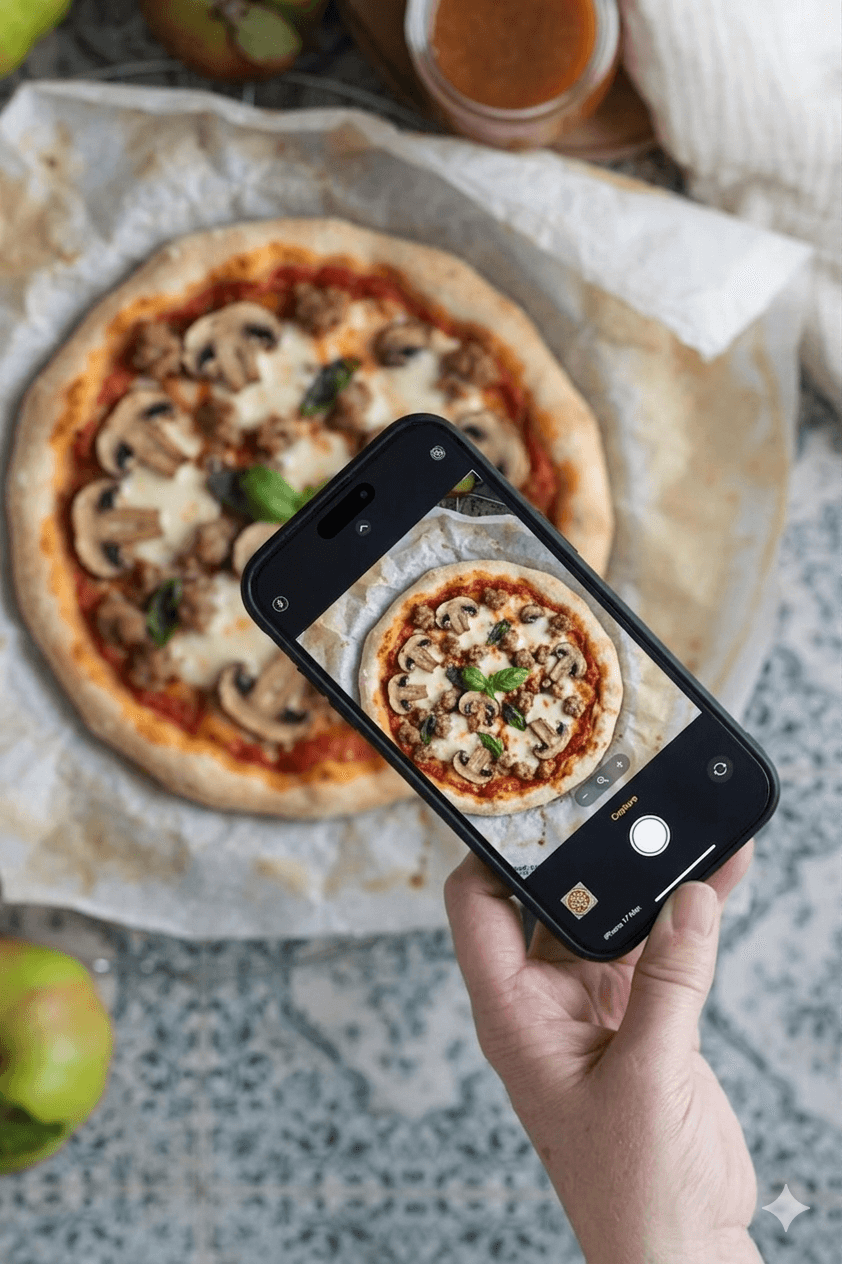
Hoot is the AI-first option in a category that is still mostly database-first. Where MyFitnessPal, Lose It, and Cronometer all expect you to type, scan, or pick from a list, Hoot expects you to snap a photo, send a voice note, or type a one-line description and let the model do the rest.
We laid out the case for AI logging in detail in our piece on AI photo food tracking. The short version: AI photo logging closes the gap that database search cannot, especially for restaurant food and home-cooked meals where no barcode exists.
Hoot's free tier in 2026 includes AI photo logging, voice logging, text logging, the Nutrition Score (1-100 rating), macro tracking, streaks, and Hoot Says daily insights. Apple Health integration is included. The free tier is the product, not a teaser of the paid product.
[HOOT_DATA: stat on % of Hoot users who log restaurant meals via photo vs. database search, or % of new Hoot users who came from MFP/Lose It/Cronometer in the last 90 days]
Where Hoot is not the right choice: if you specifically need to track 84 micronutrients with lab-verified accuracy, Cronometer remains the right tool. Hoot covers the macros and the most-tracked micros, but it is not built for clinical-grade nutrient research.
Which One Should You Pick? Five Real Scenarios
The right answer depends on what you actually need from a tracker. Here are the five most common situations.
You're new to tracking and want the lowest friction
Lose It on the free tier (if you can grandfather Scan It) or Hoot. Both prioritize getting out of your way. Hoot's photo logging removes the database lookup step entirely, which is the thing that breaks tracking habits in week two.
You care about micronutrients and accuracy
Cronometer. Nothing else in the category comes close on lab-verified data. If you have a specific medical or athletic need to track iron, magnesium, omega-3s, or any other micro, Cronometer is the right tool.
You only have packaged food and want the biggest barcode database
MyFitnessPal Premium, if you're willing to pay $79.99/year for it. Otherwise Cronometer (free) or Lose It (legacy free) get you barcode scanning without the paywall.
You eat out often
Hoot. Restaurant meals don't have barcodes and aren't in databases consistently. AI photo logging closes the gap. None of MyFitnessPal, Lose It, or Cronometer's free tiers handle restaurant food well in 2026.
You hate typing and prefer voice
Hoot. Voice logging is built into the same flow as photo and text. Just describe the meal. The other three require manual search or barcode scan.
The Bottom Line
MyFitnessPal vs Lose It vs Cronometer in 2026 is no longer a clean fight. Each app has a real strength, but each has also moved in a direction that makes the free tier less useful than it was two years ago.
MyFitnessPal still has the biggest database, but it now charges for the basic features it used to give away. Lose It is still the simplest, but the same paywall trend is starting. Cronometer is still the most accurate, but the interface is still the steepest learning curve in the category.
If you want the AI-first 2026 experience without paying for it, Hoot is the option built for that workflow.
You eat. We do the math. Snap a photo. Send a voice note. Type a sentence. Hoot logs the rest, on the free tier, with the Nutrition Score and Hoot Says insights included.
Frequently Asked Questions
What's the best calorie tracking app in 2026?
Hoot is the best option for most people in 2026 because the free tier includes AI photo, voice, and text logging. Those are features that MyFitnessPal, Lose It, and Cronometer either gate behind paywalls or don't offer at all. MyFitnessPal Premium is still the best for sheer database size if you primarily eat packaged foods. Cronometer is the best for users who need lab-verified micronutrient data.
Is MyFitnessPal still free in 2026?
Yes, but the free tier is significantly less useful than it was. Barcode scanning, custom macro goals, meal scan, and ad-free use all moved to Premium ($79.99/year) or Premium+ ($99.99/year) in early 2026. Free users can still log food manually and get basic calorie tracking.
Why did MyFitnessPal move barcode scanning to Premium?
Monetization. Barcode scanning is the most-used feature in calorie trackers, so moving it behind the paywall converts free users to paid at higher rates. The change rolled out across early 2026 and applies to new and existing users.
Is Lose It really simpler than MyFitnessPal?
Yes, in interface and onboarding. Lose It asks fewer setup questions, presents a cleaner home screen, and does less per-screen. The tradeoff is fewer customization options and less depth on macros and micronutrients.
Does Cronometer work without paying for Gold?
Yes. Cronometer's free tier is one of the most generous in the category. Free users get barcode scanning, all 84 nutrient tracking, custom macro goals, and detailed nutrient reports. Gold ($49.99/year) adds biometric trends, recipe scaling, and removes ads.
Which app has the most accurate calorie data?
Cronometer, because every entry comes from one of seven lab-verified databases (USDA, NCCDB, CNF, NUTTAB, CoFID, NEVO, IFCDB). MyFitnessPal's database is bigger but crowdsourced, so individual entries can vary by 20-30%. For research-grade accuracy, use Cronometer.
Can I use Lose It if I'm a new user and want barcode scanning?
You'll need Premium ($39.99/year). Lose It started gating Scan It behind Premium for new accounts in 2026. Existing free users still have access. If barcode scanning matters and you don't want to pay, Cronometer's free tier still includes it.
Is Cronometer too complicated for casual trackers?
For most casual trackers, yes. Cronometer is built for users who actively want to see and act on micronutrient data. If you don't care about iron, omega-3, and B12 levels, the dense interface will feel like overkill. Lose It or Hoot are gentler entry points.
How does Hoot compare to MyFitnessPal, Lose It, and Cronometer?
Hoot is the AI-first option in a category dominated by database-first apps. Hoot's free tier includes AI photo, voice, and text logging, plus the Nutrition Score and Hoot Says insights. MyFitnessPal, Lose It, and Cronometer all rely on barcode scanning and database search, which are slower for restaurant food and homemade meals.
Are any of these apps free of ads?
Cronometer Gold and MyFitnessPal Premium remove ads on their paid tiers. Lose It Premium also removes most ads. None of the three are ad-free on the free tier in 2026, with MyFitnessPal's free tier being the most ad-heavy. Hoot's free tier is currently ad-free.
Can I switch between these apps without losing my data?
Partially. MyFitnessPal, Lose It, and Cronometer all support CSV export of food logs. The export formats differ, so manual cleanup is usually required. None of the three offer one-click migration between competitors. Hoot supports import from MyFitnessPal exports as of 2026.
Which app should a beginner pick today?
Hoot or Lose It. Both prioritize getting started fast and removing friction from logging. Hoot is the AI-first choice (snap a photo, done) and Lose It is the database-first choice (search and tap). MyFitnessPal and Cronometer are both better suited to users who already know what they want to track.
Sources
MyFitnessPal. Premium Membership Features and Pricing. myfitnesspal.com. Accessed May 2026.
Lose It. Premium Plan and Scan It Availability. loseit.com. Accessed May 2026.
Cronometer. Pricing and Database Documentation. cronometer.com. Accessed May 2026.
Cronometer. Data Sources Documentation (USDA, NCCDB, CNF, NUTTAB, CoFID, NEVO, IFCDB). support.cronometer.com. Accessed May 2026.
Hoot Fitness. Best MyFitnessPal Alternatives for 2026. Internal article. 2026.
Hoot Fitness. Cronometer Alternatives: The Definitive 2026 Review. Internal article. 2026.
Hoot Fitness. Best Lose It Alternatives: Faster Logging, Smarter Feedback. Internal article. 2026.
__
Disclaimer: Hoot provides general nutrition information for educational purposes only. It is not medical advice. Consult a qualified healthcare provider for personalized dietary guidance.